A new website should make it easier for customers to understand your offer, assess whether you fit their needs and make contact. Start with those needs before deciding on colours, features or publishing tools.
For a trades business, the goal may be more relevant site visits. For a consultant, it may be customers understanding the specialism before meeting. For an online service, it may be users actually getting started. ‘More traffic’ alone is too weak a goal: a business needs visitors it can help.
Here are six decisions we recommend making before commissioning a new website, and when assessing the one you already have.
1. Decide what the website should help the customer do
Write down the three questions you most often hear before a purchase. Use real conversations and emails, and distinguish new customers, existing customers and job applicants. They often need different starting points.
A good service page explains whom the service suits, what it includes, where you deliver and what happens after contact. Pricing can be explained through a range, example or factors affecting a quote. Do not promise a fixed price if you need to assess the work first.
Practical example: ‘Contact us’ is understandable, but ‘Request a bathroom site visit’ also explains the conversation the customer is starting. Use the more precise option when the page is about that service. Explain what information you need and who will follow up.
Choose one main objective for each page type. An article might help the reader move on to a relevant service. A contact page should make sending an enquiry easy. There is no need to put the same form everywhere.
2. Check the whole customer journey on mobile
Fitting content onto a small screen is only the beginning. Open the menu, find a service, read the pricing explanation and complete the form. Look for buttons that are too close together, unexplained fields and messages hidden behind a keyboard.
Google uses the mobile version for indexing and ranking. Main content should therefore be available on mobile and larger screens. Tabs and expandable sections are allowed; important content should not be removed just to shorten a mobile page. See Google’s guidance on mobile versions.
Also test with a keyboard. Form fields need visible labels, understandable error messages and confirmation when a submission succeeds. W3C’s forms guidance explains these principles. A green button is not sufficient confirmation that an enquiry actually reached its recipient.
3. Preserve content and search visibility
List current URLs before building a new site. Which pages have traffic, external links or enquiries? Preserve useful URLs where possible. If an address must change, redirect it to the most relevant new page.
A new design is no reason to send every old article to the homepage. Customers looking for a particular service should still find it. Check redirects, internal links, page titles and whether production pages can be indexed. Google describes this in the site migration guidance.
Give each core service a page that actually explains delivery. Avoid creating many nearly identical pages by swapping place names. Local pages should contain real local information, such as a contact person, service area or relevant projects. Read more in our guide to search engine optimisation.
4. Plan how the right audience will find the page
The website needs a distribution plan. Start with channels that fit the customer’s situation: searches for a specific service, expert content answering a question, recommendations or ads for a defined offer.
A business blog is useful when you have something relevant to explain and capacity to maintain it. It is not required for every business. Weak service pages should often be improved before writing another general article.
Set a budget for both launch and ongoing work. A campaign sending traffic to an outdated price or a form no one follows up should be fixed before it is scaled.
5. Choose a solution you can own and maintain
WordPress can work well when a business needs editable pages, expert articles and established integrations. Other solutions may suit a simple static site or a specialised web service better. Consider the needs before the tool.
Ask the provider to explain who owns the domain, where content and data are stored, how backups work and what a move would involve. Agree on responsibility for updates, recovery, licences and support. Ask for a practical walkthrough where one of your employees edits a normal page.
6. Measure whether the new website does the job better
Preserve a baseline before launch. When seasonality matters, two full twelve-month periods can be useful. Also monitor the intervening months and record changes to advertising, offers, measurement and the consent solution.
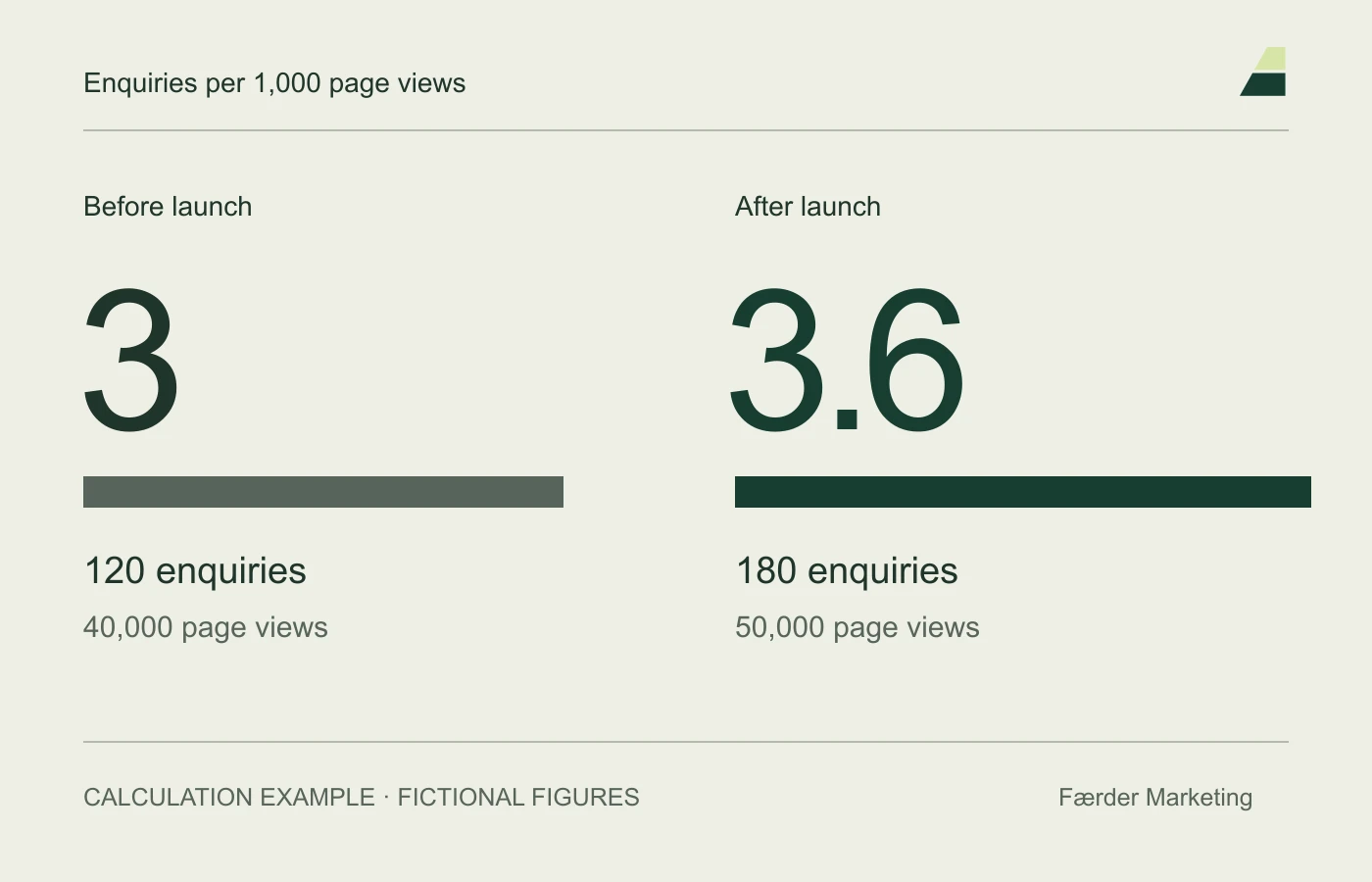
Look at genuine enquiries and their quality as well as traffic. A page view is not a person, and a phone-number click is not a confirmed call. When calculating enquiries per 1,000 page views, numerator and denominator must cover the same website and period. This is a ratio, not necessarily the share of visitors who contacted you.
Use measurement for specific improvements: if many people find a service but few make contact, examine the content, form and offer. If few find the service, examine visibility and distribution. More traffic does not solve every problem.
Before requesting a proposal
Summarise goals, main audiences, essential pages, integrations, responsibilities and budget in a short brief. Ask the provider how the solution will be checked before launch and followed up afterwards.
We help with websites and ongoing development. See also our work, or get in touch about your website.
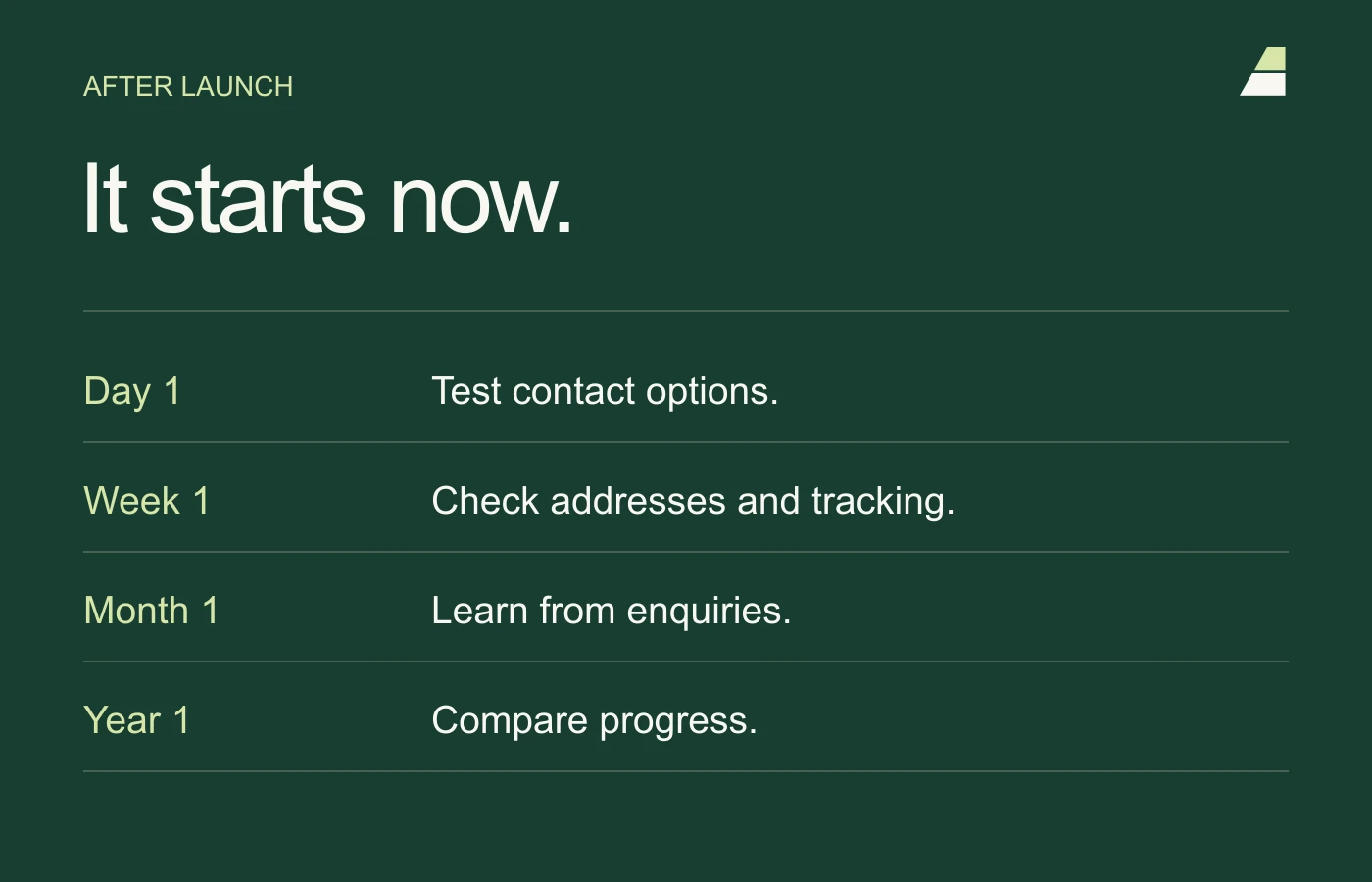
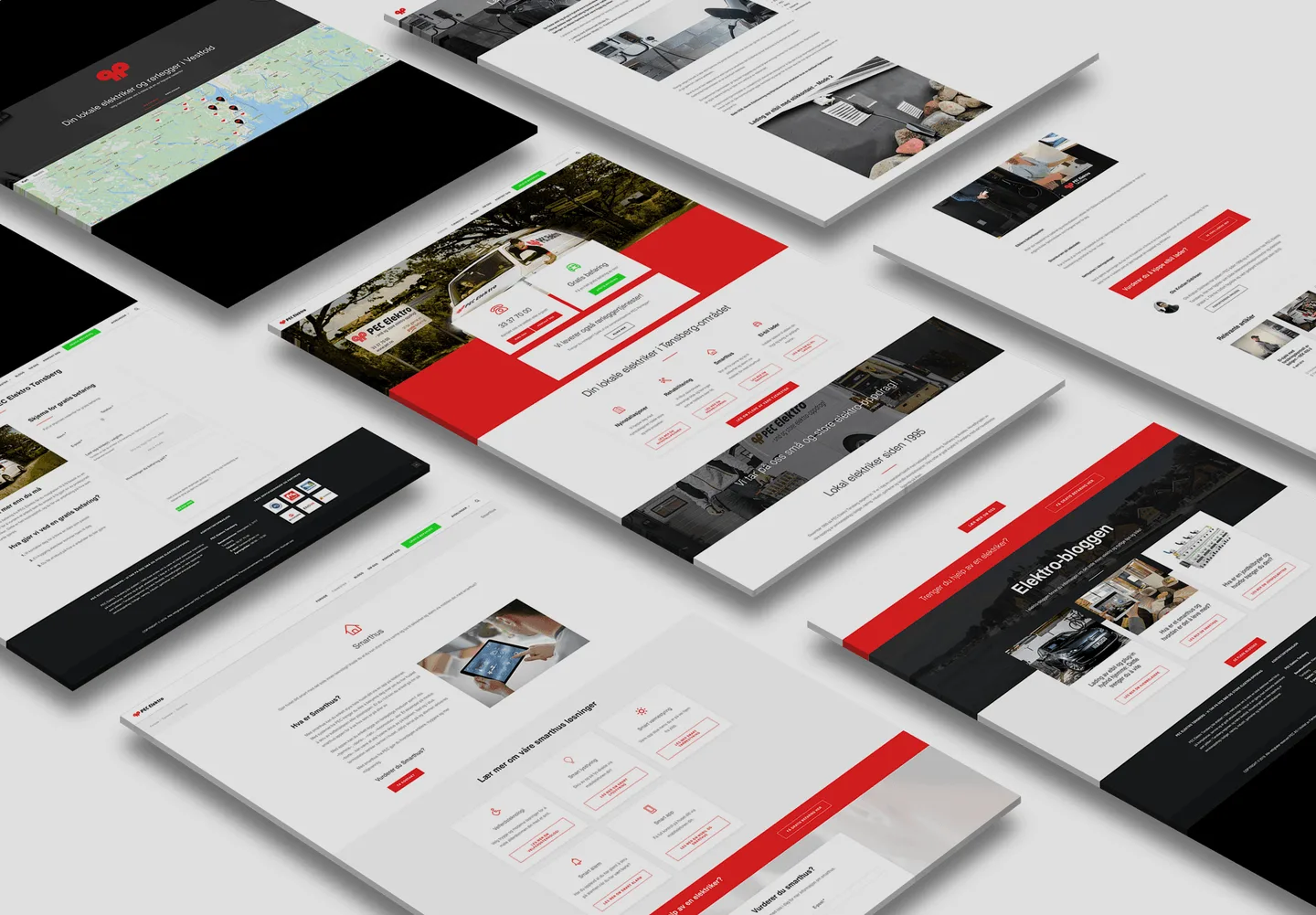
See the 2025 PEC project for an example of local services and contact points. Also use the guide to measuring results and the post-launch checklist when agreeing on follow-up.