
A new website or online shop should make buying easier and help the business deliver. Before choosing a platform, follow a customer from their first question through purchase, delivery and ongoing support. This reveals what already works, where time is lost and what actually needs to be built.
At Færder Marketing, we use this review to assess whether to improve the current solution, connect existing tools or develop something new. WordPress, Astro, Lovable and custom code can play different roles. The choice should follow a clear understanding of the task.
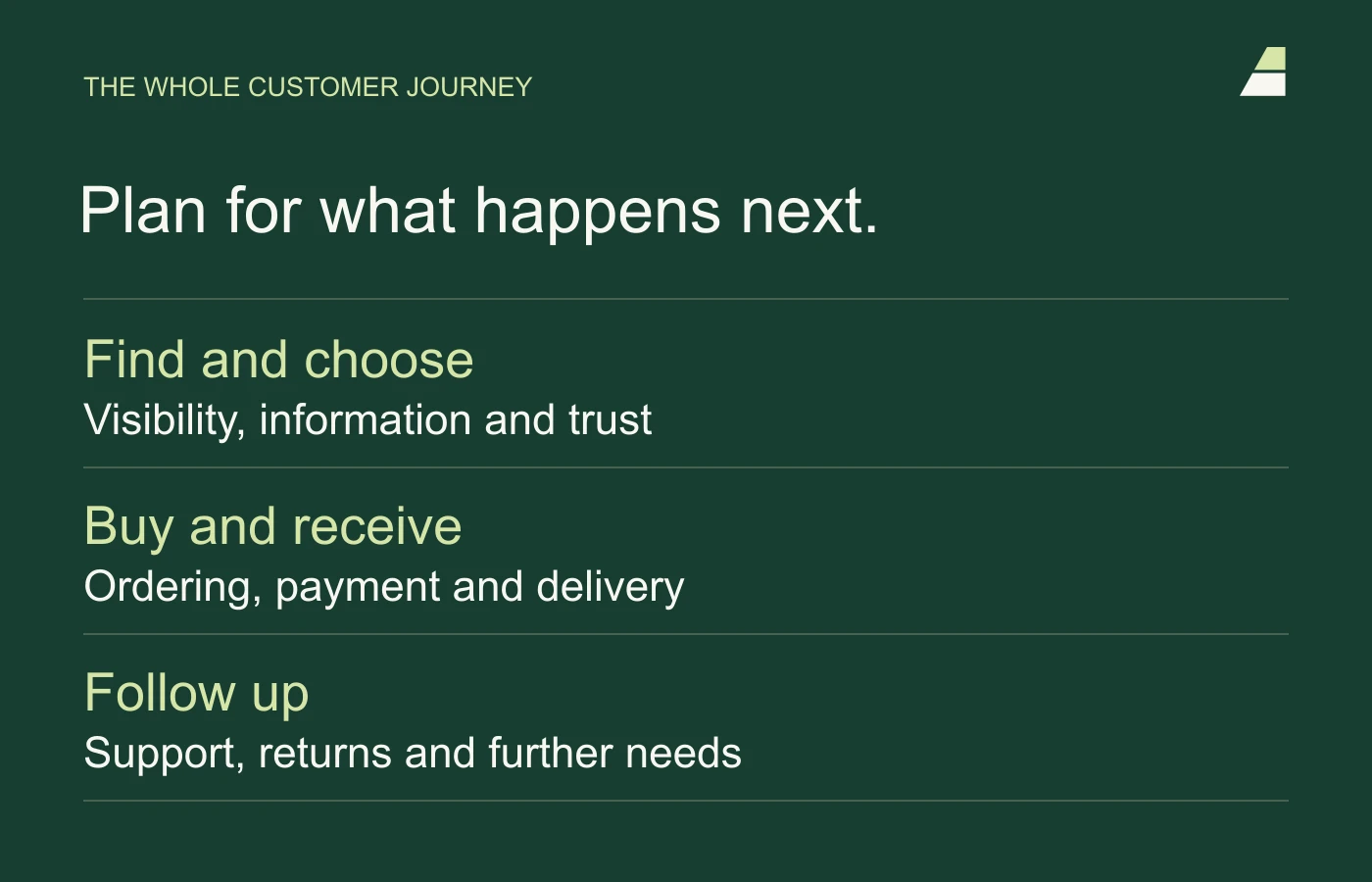
Follow one customer through the business
Choose a common customer type and a typical purchase. Write down what the customer needs to know, what they do and what happens internally after each action. Include the people who actually answer enquiries, process orders and support customers afterwards.
- Discovery: what question or need brings the customer to you?
- Choice: what information makes the offer clear and relevant?
- Enquiry or purchase: what information do you need, and what confirmation does the customer receive?
- Delivery: who takes over, and which systems do they use?
- Invoicing and support: how are payment, questions, returns and further needs handled?
Mark the points where someone copies information, searches for a status update or asks customers for details already provided. These are candidates for improvement. They do not all need automation; a clearer procedure and a named person may solve some of them.
An example: from choosing a product to fulfilling the order
Imagine a business selling products in several sizes with optional extras. This is a fictional example. Customers are unsure what fits, and staff often need to call to clarify an order. A new visual identity alone is unlikely to solve that problem.
A better solution might be a guided tool explaining the options and providing a clear summary. But the selection must also transfer correctly to the order. The warehouse needs to know what to pick, customer service needs the same information, and changes or returns need to be manageable.
Custom code could be useful for the guidance itself, while an established commerce system handles orders and payments. If existing features can meet the need well, consider those first. Every new integration adds both possibilities and something to maintain.
We can also build the rules behind the sale ourselves when a business needs more freedom. Consider a bed with different firmness on each side, fabric choices, legs and a headboard. In this hypothetical example, the customer saves the configuration, gets help from a member of staff, and orders delivery and assembly. The system must understand the customer’s choices, the components with their own stock codes, and what the warehouse or supplier actually needs to deliver.
Astro can be part of a custom online shop
One possible architecture uses Astro for product, category and content pages, React for the configurator and basket, and our own server functions for product rules, prices and orders. Astro supports interactive components and pages rendered on demand. This is described in its documentation on on-demand rendering.
The key question is who controls the data model and business rules. A new frontend connected to an existing commerce system still gives that system a central role. If we also want to shape the commerce logic ourselves, it must be developed, tested and maintained as a distinct part of the project. Astro is one possible framework for the customer-facing pages; a system made up mainly of authenticated workspaces may have different needs.
The database and administration tools must fit everyday work
PostgreSQL is one possible choice for products, customers and orders. Supabase provides PostgreSQL alongside services including authentication and file storage. We can assess a managed service or self-hosting against the available expertise, capacity and requirements. See Astro’s guide to Supabase. A database alone does not provide a complete online shop.
Plan how staff will edit products, handle partial deliveries and follow up with customers without changing code. Also agree which system controls prices and stock when the shop connects to other systems. Being able to export the database is useful, but migration may also require work on authentication, files and integrations.
Choose what to keep, buy and build
Break the solution into tasks before comparing platforms. You may need somewhere to publish content, somewhere to manage customers and somewhere to process orders. These functions can sit in one system or several. Fewer systems do not always mean less work, and more systems do not automatically mean greater flexibility.
Use these considerations as a starting point:
- WordPress: relevant when editing pages and articles is central, and the necessary features can be provided by a manageable setup. Assess plugins, maintenance and editors’ actual workflow.
- Astro with a suitable content system: relevant when we want more direct control over site structure, content and interactive elements. Editing, integrations and maintenance need planning.
- Lovable and other AI tools: relevant when turning ideas into features and developing them. Assess the finished solution’s code, data handling and operations, however it was built.
- An established e-commerce system: relevant when standard commerce functions meet the need well. Check product variants, pricing, payments, shipping, returns and connections to existing operations.
- Custom features: relevant where the business has a specific need or working method that standard tools do not address well enough.
These are considerations, not a ranking. A good solution may combine several elements. For example, a well-functioning WordPress website can gain a specific new feature without the whole website being replaced.
An online shop needs to handle more than a successful test purchase
Agree which system is authoritative for product information, price, stock and order status. If the same information can be changed in several places, you need a rule for which version takes precedence. Otherwise, a seemingly simple integration can create substantial manual reconciliation work.
Also test a declined payment, an out-of-stock item, a partial return and a temporary failure in the accounting connection. An order needs to remain traceable even when a service is unavailable. Agree how staff detect and resolve failures, and how customers receive an understandable message.
A useful starting point is one complete purchase journey in a test environment: configure the product, check pricing and delivery, pay in test mode, and process the order in the administration tools. Include stock reservations, repeated payment notifications and refunds. This provides a stronger basis for decisions before extending the catalogue and adding more features.
Use solutions suited to the task for payment processing and other critical standard functions. The value of custom development often lies in guidance, product selection or the workflow around a sale. It does not require writing every component ourselves.
For shops with configurable products and specific workflows, we explore custom e-commerce with Astro, commerce logic and a databasein more detail. The article also covers planning for administration, payments and operations.
Assess the cost over time
Request an estimate covering initial development and ongoing operations over, for example, three years. Separate development, recurring services, maintenance, expected changes and your own working time. Include costs that depend on user numbers, orders, storage or actual use of AI features.
Also consider the expected return. Less duplicate entry, fewer incomplete enquiries and clearer visibility can have value. Describe how you will assess this after launch. Expected time savings remain an assumption until measured in the actual workflow.
Include ownership and handover in the brief
Ask the proposal to explain ownership and usage rights for code, design and content. Agree who controls the domain and service accounts, which licences must continue and how you can export data. An export should contain what you need to use the information elsewhere, rather than merely a file with unclear fields.
Ask how another supplier could take over. That requires documentation, the necessary access and an understandable way to build and publish the solution. Access to a code repository alone does not demonstrate that operations can be transferred.
Plan the transition from what you have
Map useful pages, URLs, content and integrations before switching. Preserve important URLs where possible. Changed addresses need relevant redirects and link checks. Google describes the preparations in the site migration guidance.
Also agree who checks forms, orders, measurement and customer messages after launch. Decide how to revert if a critical function fails. For larger changes, introducing one limited part first can provide useful learning before rebuilding the rest.
A useful brief for the first conversation
Bring together the customer type you want to help, a typical customer journey, current systems, the main obstacles and the people who will use the solution internally. Add a budget, timeframe and what must work from day one. This makes a reasoned proposal on both scope and technology possible.
Use the six questions to resolve before building a new website for work on the website itself. Also read why we build more with Astro and AI and what to have checked on security. When you want to discuss your specific needs, you can send us an enquiry.