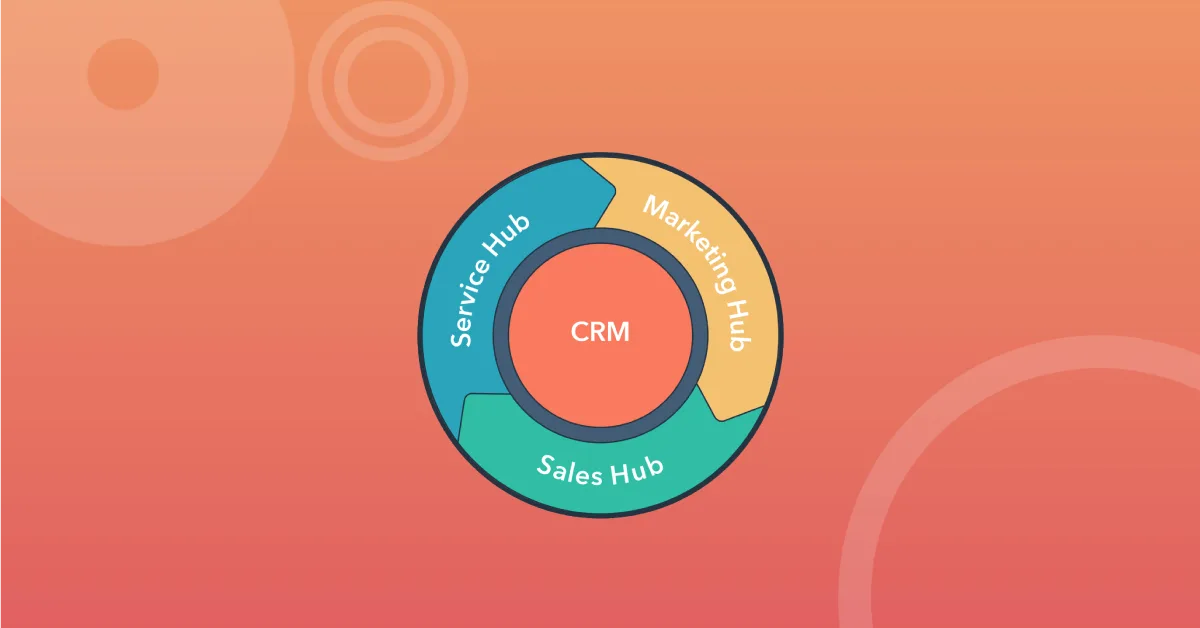
HubSpot is a platform centred on CRM, with products for marketing, sales, customer service, content and data work. Its value depends on whether the tools support your processes and are used consistently.
You do not need to use everything. Start with the task you want to solve, such as tracking enquiries or connecting marketing and sales follow-up more effectively.
What are the components?
HubSpot’s product overview describes products including Smart CRM, Marketing Hub, Sales Hub, Service Hub, Content Hub and Data Hub. Features, names and packages can change, and availability depends on the agreement.
Marketing tools can support emails and campaigns. Sales tools can support opportunities and tasks. Service features can track customer cases. What matters is how information will be used, not the number of demo features.
Start with the data model
Define what a contact, company, enquiry and sales opportunity mean in your business. Clarify ownership, statuses and transition criteria. If employees use the same field differently, reports become hard to trust.
Clean source data before import. Check duplicates, old consents and unnecessary information. A new system does not automatically organise a messy database.
Calculate the actual cost
Investigate the features and user access you need, along with contact volume, add-ons, implementation and integrations. HubSpot’s pricing page sets out the current framework for Marketing Hub. Ask for a calculation specific to your use rather than comparing starting prices alone.
Also consider costs as needs grow. A workflow requiring a higher plan than expected can significantly change the calculation.
Clarify integrations and privacy
Map the forms and systems that will send information in, and services that will receive data back. Document the basis, roles, access and storage. Automatic collection from website forms must be a deliberate choice.
A CRM can bring scattered information together, but it can also distribute data further if integrations have not been reviewed. Read the privacy guide before deciding on the setup.
Introduce one workflow first
Test a realistic case from initial enquiry to completion. Who receives the task? What happens during an absence? How does the next person find the history? Also check exports and what you can take with you if you later change systems.
Train the people who will use the solution and agree who maintains it. A large setup without an internal owner quickly becomes difficult to maintain.
When should you consider alternatives?
For simple needs, a smaller solution may suffice. For specialised working processes, integrations or a custom system may be more relevant. Do you need HubSpot? provides questions for the assessment.
Historical articles about Færder Marketing’s HubSpot partnership describe status at publication. They do not document current partner status or certifications.